


The workplace as we know it has experienced a shift in recent years. With the rise of remote work and the adoption of hybrid working models, businesses everywhere are rethinking how they operate. We’re no longer confined to traditional office settings, teams now span across cities, countries, and even continents. In this new landscape, the importance of having robust audio visual (AV) technology in place has skyrocketed.
AV systems are now essential tools that help bridge the gap between in-person and remote team members, making communication and collaboration smoother and more efficient.
For many businesses, the challenge lies in integrating these modern AV systems into existing workspaces without causing major disruptions. The good news is that with the right approach, it’s possible to upgrade your AV technology seamlessly, enhancing your workspace and supporting your team without needing a complete overhaul.
In this guide, we’ll explore practical steps to help you integrate AV technology into your existing setup, ensuring you can stay connected and productive in today’s hybrid working environment.
The Power of Audio Visual Systems in Your Workplace
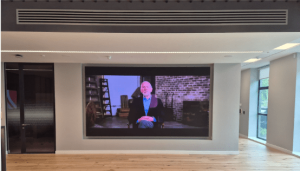
In business settings, the use of visual aids has always been a key component of effective communication. Whether it’s a presentation in a boardroom or a virtual meeting with remote colleagues, the combination of sight, sound, and text is essential ensuring that your message is clear and memorable.
In a hybrid working environment, where your team might be spread across various locations, the importance of high-quality AV systems is amplified. Tools like large displays, interactive whiteboards, and advanced video conferencing setups can help create a sense of presence and teamwork, even when everyone isn’t physically together.
Explore how Digicom’s Audio Visual Solutions can help enhance communication in your workspace.
Assessing Your AV and IT Needs
Before jumping into the integration of new av technology, it’s important to step back and assess your current setup. This evaluation will help you understand your current needs and anticipate future requirements.
1.Understand Your Current Setup
Start by reviewing the AV and IT equipment you already have.
Which systems are working well, and which ones need an upgrade?
This will help you make informed decisions about where to invest.
2.Identify Your Pain Points
Consider what challenges your team is facing. Is your current AV system supporting your hybrid work model, or do gaps that need to be filled?
3.Consider Future Needs
Think about how your workspace might evolve. Will your team grow? Will you need more advanced technology as your business expands?
A thorough assessment will ensure that any new investment is tailored to your specific needs and will avoid costly mistakes.
If you need assistance, we provide workspace assessments to help you identify the best solutions for your office. To book yours or ask any questions, you can speak to our team directly here.
Choosing the Right AV Equipment
Selecting the right AV technology for your workspace is all about finding equipment that is user-friendly, flexible, and future-proof.
Here’s what to consider:
- Ease of Use: The best AV systems are intuitive and require minimal training. This ensures that your team can get the most out of the technology without a steep learning curve.
- Flexibility: Look for solutions that can adapt to various meeting formats and room layouts. Flexibility in your AV systems means you can easily reconfigure your space as your needs change.
- Support and Maintenance: Consider the level of ongoing support you’ll need. It’s important to choose a provider that offers reliable technical support and maintenance to keep your systems running smoothly.
- Future-Proofing: Invest in technology that can grow with your business. Scalable solutions will save you from having to replace systems as your company evolves.
- Budget Considerations: Establish a clear budget that includes not just the cost of the equipment, but also installation, training, and ongoing support.
Working with an experienced AV specialist, like Digicom, can help you navigate these decisions and choose the equipment that best suits your needs.
The Growing Importance of Video Conferencing

Video conferencing has become an essential tool in the modern workplace, especially with the rise of remote work. From large-scale, immersive telepresence systems to more budget-friendly desktop solutions, there’s a video conferencing setup for every need.
When integrating video conferencing into your workspace, consider the quality of both audio and video, how easy it is for participants to use, and whether the system will work with your existing IT infrastructure.
Partnering with an AV integrator ensures a smooth deployment that enhances your team’s ability to collaborate effectively, no matter where they are.
Learn more about Digicom’s Video Conferencing Solutions to find the right fit for your business.
Step 4: Train Your Team

Even the best AV systems won’t be effective if your team doesn’t know how to use them. Ensuring that your staff is comfortable with the new technology is key to a successful integration.
- Hands-On Training: Provide hands-on training sessions to familiarise your team with the new equipment. This will help them feel confident using the new systems from day one.
- Ongoing Support: Make sure that ongoing support is available for any questions or issues that arise. This ensures that your AV system continues to operate smoothly long after the installation.
Digicom’s training & support services can help your team get up to speed quickly and keep your systems running efficiently. Contact us for more information.
The Future of Office AV and IT
As hybrid working continues to shape the business world, the technologies that support it will also evolve. Key trends to watch include the increasing use of wireless technology, the integration of AI to enhance user experiences, and the rise of immersive tools like virtual and augmented reality. Staying ahead of these trends will ensure your workplace remains efficient and competitive.
Conclusion: Ready to Upgrade?
Upgrading your office audio visual systems into your existing workspace doesn’t have to be overwhelming. By assessing your current setup, choosing the right AV solutions, and planning a smooth integration, you can upgrade your workspace with minimal hassle. Integrating AV technology is a great way to improve collaboration, enhance presentations, and keep up with the latest technology.
Interested in learning more? Contact us today for a consultation, or request a free assessment to see how we can help you seamlessly integrate the latest AV technology into your workspace.


